From cURL commands
A pasted curl command becomes one request. What it holds depends on where you import it:
- into a REST API or folder, the command becomes a full REST request, with Basic auth if it has
-u; - into a SOAP operation, it becomes a request whose envelope, endpoint and SOAPAction come from the command.
The toast after the import names every flag the import could not use.
To run the import, see cURL commands in the importers guide. The same section covers Copy as cURL, which turns a request back into a command.
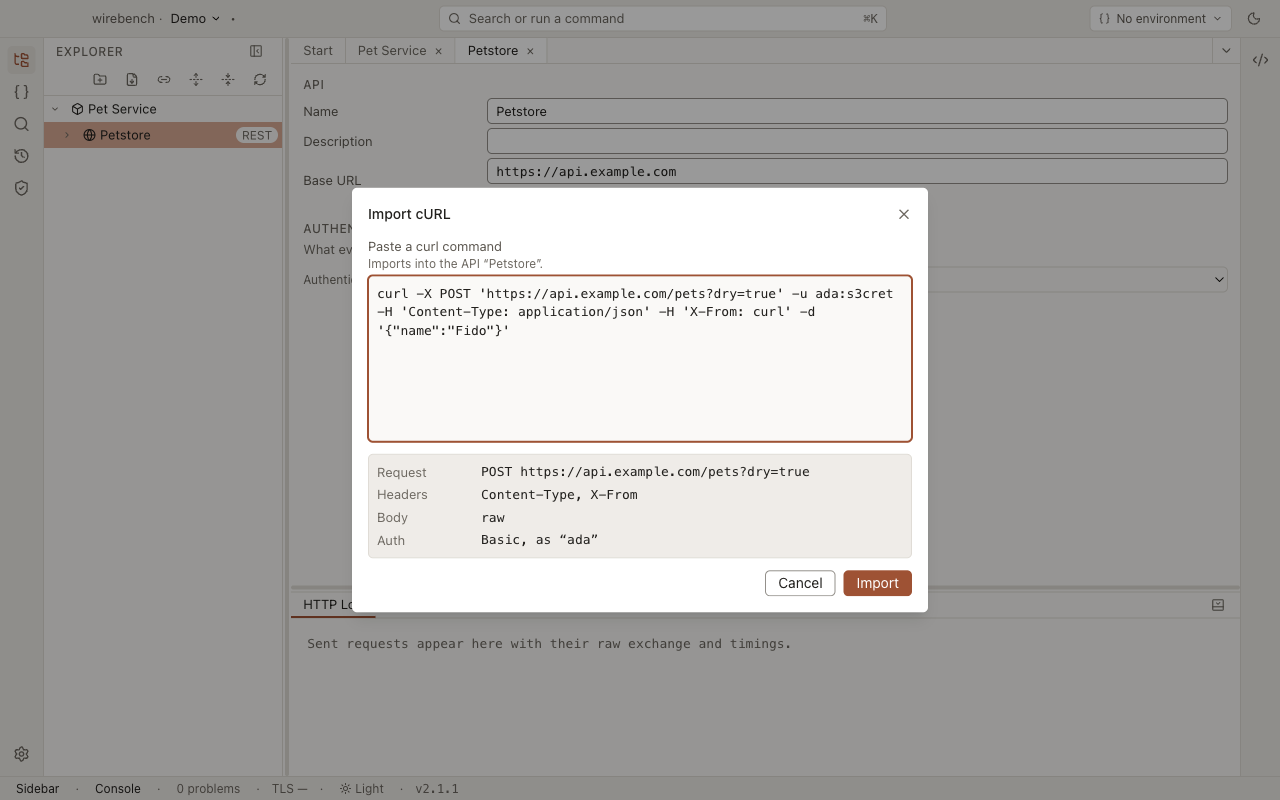
What carries over into a REST request
Section titled “What carries over into a REST request”| Flag | In Wirebench | More |
|---|---|---|
The URL, or --url |
The request’s URL. If it starts with the API’s Base URL, it becomes a relative path, so it follows the API’s environments. The query string becomes rows in the Params table | Path and query parameters |
-X / --request, also written -XPUT |
The method. Without it: GET, or POST when the command sends a body | |
-I / --head |
HEAD, unless -X says otherwise |
|
-H / --header |
Rows in the Headers table | |
-u / --user name:password |
Basic auth, sent preemptively. The password is stored as a secret, outside the project | Secrets |
-u name, with no password |
Basic auth with the username. The toast asks you to set the password on the Auth tab | |
-d, --data, --data-raw, --data-binary |
A raw body, in the language its Content-Type names |
Request body |
-d @file |
A binary body that reads that file when sent | |
A heredoc or PowerShell here-string after -d @- |
A raw body with the heredoc’s text | |
--json |
A raw JSON body. Content-Type and Accept are set to application/json, unless the command sets them itself |
|
--data-urlencode name=value |
A form body | |
-F / --form |
A multipart body. name=@file and name=<file become file parts |
|
-G / --get |
A GET, with the -d and --data-urlencode data moved into Params rows |
|
-k / --insecure |
Trust an invalid certificate, on for this request | |
-L / --location, --max-redirs |
Follow redirects on, and Max redirects set | |
Bundled short flags, such as -sSL or -sXPOST |
Read one by one, as curl reads them |
What carries over into a SOAP request
Section titled “What carries over into a SOAP request”| Flag | In Wirebench |
|---|---|
The URL, or --url |
The request’s endpoint |
-d, --data, --data-raw, --data-binary, or a heredoc |
The envelope, exactly as written |
A SOAPAction header |
The request’s SOAPAction |
A Content-Type of application/soap+xml |
SOAP 1.2 |
Other -H headers |
The request’s headers |
What does not carry over
Section titled “What does not carry over”| In the command | What happens | What to do |
|---|---|---|
An Authorization header (REST) |
Kept as an ordinary header, so the token lands in the project files as plain text | Move it to the Auth tab, where it is stored as a secret |
-u (SOAP) |
Not imported. The preview says so | Set Basic or NTLM auth in the request’s Auth inspector |
-d @file (SOAP) |
Not imported. The preview says so | Paste the envelope into the request |
-X (SOAP) |
Ignored: a SOAP request is always a POST | Nothing |
-d given more than once |
Only the last one is kept. curl itself would join them with & |
Join the data into one -d before pasting |
A header with no : |
Dropped | Add it on the Headers tab |
Any other flag, such as --retry, -o or --compressed |
Ignored. The toast after the import names each one | Set the equivalent in Wirebench, if there is one |
After importing
Section titled “After importing”-
Read the toast: it names each flag the import ignored.
-
If the command had an
Authorizationheader, move the token to the Auth tab. -
If the toast asks for a password, set it on the Auth tab.
-
Send the request.
Related
Section titled “Related”- Importing APIs: the Import cURL dialog and Copy as cURL.
- REST: the request the import created.
- Authentication: Basic auth and the other schemes.