gRPC
Wirebench calls gRPC services either from .proto files you import or by asking a running server
to describe itself over reflection. Either way it builds the same explorer tree — a folder per
service, a request per method — and sends unary and streaming calls against it.
Import a .proto set
Section titled “Import a .proto set”- Right-click a project in the explorer and choose Import….
- On the File tab, point to the root
.protofile. Anything it imports is read alongside it. - Name the API and set its target — the
host:portthe calls will connect to. - Confirm. Wirebench parses the service and message definitions and shows a summary before you dismiss it.
The explorer gets a folder for the service, with one request per method, its message pre-filled from the request type’s schema.
Discover a server by reflection
Section titled “Discover a server by reflection”On the same Import… dialog, use the Server tab instead of File: enter the server’s
host:port and a name, and confirm. Wirebench asks the server for its schema over gRPC
reflection and builds the same tree an import from files would, without reading any .proto from
disk. Open the API’s own tab to ask again later — pick a reflection version and choose Refresh
to pull the current schema and see what changed.
Send a unary call
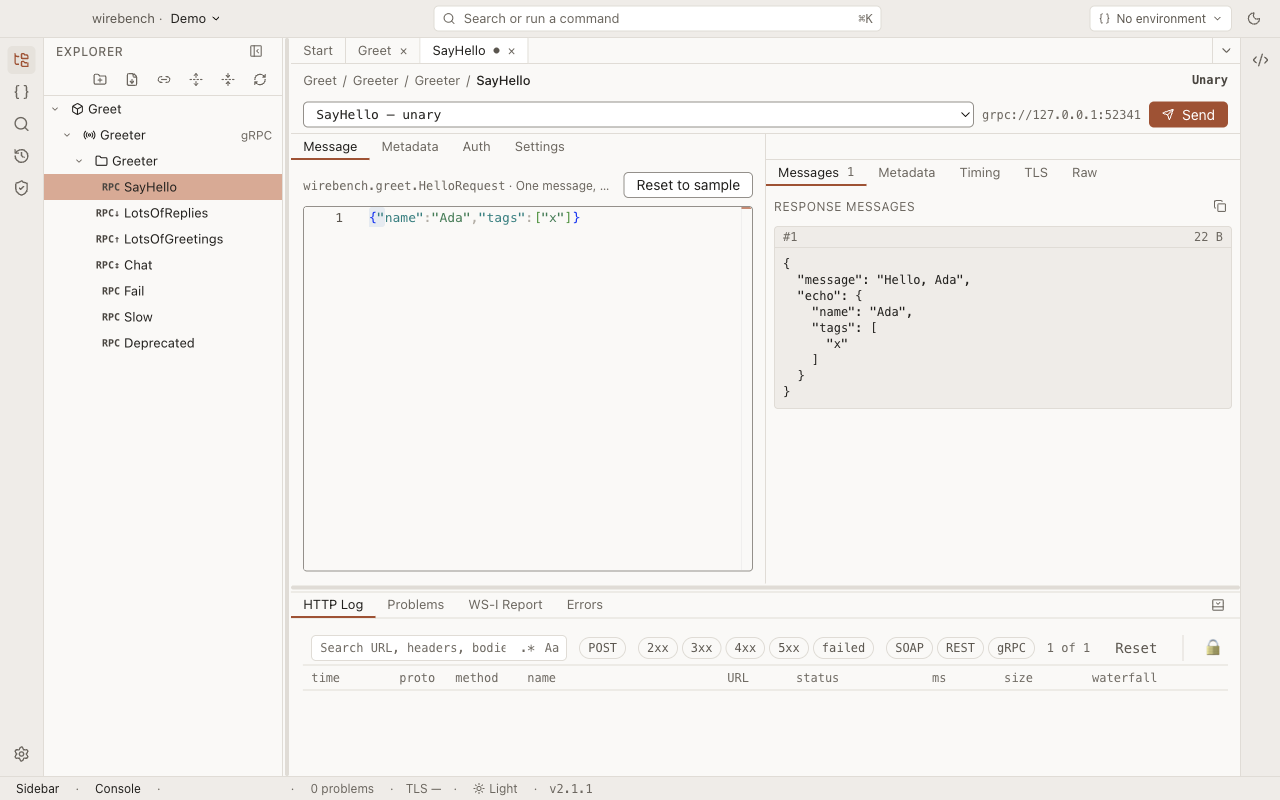
Section titled “Send a unary call”Open a request under the service folder. Its Message tab holds the request body as JSON,
generated from the method’s input type; the method picker above it shows the fully-qualified
package.Service/Method, and the target field shows where the call connects.
Edit the message and choose Send, or press ⌘⏎ / Ctrl+Enter. The
response shows the decoded message, the gRPC status code, and — on their own tabs — the trailing
metadata, timing, and the raw call. A non-OK status (for example NOT_FOUND) is shown as the
result, with its code and message, not treated as a failure to send.
Typing a field name inside a message’s braces offers the fields the schema defines for that message — nested messages offer their own fields, and a scalar path offers none.
Streaming calls
Section titled “Streaming calls”A server-streaming method’s response fills in message by message while the call is still running — the status reads Streaming… until the server closes the call, and each message appears in the response as it arrives rather than only at the end.
A bidirectional-streaming method opens with nothing sent: choose Open stream, then type each message into the composer and send it into the open call. Every reply appears in the response list as it comes back, and you can keep sending more messages into the same call. Choose Half-close to tell the server you are done sending; the call’s final status appears once the server closes its side.
Re-send from History
Section titled “Re-send from History”Every call is recorded in History with its request messages, response messages and trailers. Choose ↻ on the entry to call the method again with the messages it recorded. A streaming client’s messages are replayed all at once, in order — see Re-send a gRPC call.
Definition storage
Section titled “Definition storage”An import from .proto files stores the .proto set itself under the API’s definition, so the
source is there to read later. A reflection-based import stores the compiled descriptors it
received instead — there are no .proto files to store, since none were read.
Limits
Section titled “Limits”- Reflection needs the target server to implement the gRPC reflection service; a server without it
can only be called by importing its
.protofiles. - Client-streaming calls send every message from the composer before the server replies once, the same way bidirectional streaming’s composer works, but there is no way to also inspect in-progress client-streaming state beyond the composer itself.